 | ||
Private Messages (PM) SystemWhen using the forums, there are times when you may need to get in touch with others forum users on a one to one basis. When registering on the forum, it is down to the individual user as to whether their e-mail address is made available to other registered forum users. Consequently, as many users prefer to maintain their e-mail address privacy, the PM system provides any registered forum user with a facility to contact any other registered forum user. Only registered users of the forum can use the PM system.
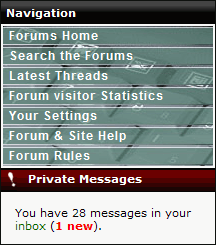
Accessing the PM system
Inbox limitationsBy default, all registered forum users are permitted to store up to 50 individual messages in their PM folders. This number includes the total of all messages stored in:
Once the message limit is exceeded, you will be presented with a warning message, and will not be able to make full use of the PM system - including message delivery until you have deleted messages from your storage folders. Sending Messages
If you are composing a new message, either type the name of the recipient click on the "..." button to bring up a user search/selection dialogue where you can automatically populate the to field. Under the PM system you can only send a PM to one user at a time. Multi-user selection is not permitted. Writing a new message is identical to creating a new message on the forum. Although the PM system does not have an Emoticon or Formatting selector, you can use any of the emoticon or formatting code in your message e.g. [b]text[/b] to make the text bold. When you are ready to send the message, click the Submit button at the bottom of the page. Messages in the OutboxOnce you have clicked on the Submit Button, the message is moved into your Outbox. The message will remain in your Outbox until the recipient views the message. Once the recipient has picked up the message it will be automatically moved into your Sent Items folder. Receiving e-mail notifications of new PM'sAll registered forum users have the option of receiving notifications of new PM's via the e-mail address stored in their forum profile. Technical Support over PMThe forums are designed to allow H/PC users to come together, discuss their devices, trouble shoot problems and generally share their interests. When dealing with technical support requests, the PM system is a good way of extending upon an issue that needs to be addressed privately, however HPC:Factor would like to make it clear that the PM system is not to be used as a substitute for the public bulletin board. Please use the public forums to post your technical support requests. That way the entire community can benefit from the answers given to your problem, both now and in the future. Does HPC:Factor automatically clear messages from the PM system?Inbox and Outbox messages are not reviewed by the forum system, and will remain in the user account until you chose to delete them. Messages in the Sent Items folder will be periodically cleared out by the forum manager. |

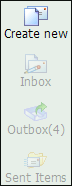 To create a new message, click on the 'Create New' option on the left had side of the Inbox window. To reply to a particular message, simply click on the Reply option next to the PM you wish to reply to to bring up the message dialogue.