| ||
Windows Vista and the Handheld PCCESD|200198Applies To
OverviewThis CESD details the interoperability between the Microsoft Handheld PC and the desktop Windows Vista operating system - released 30th January 2007, Windows 7 and both editions of Windows Server 2008. This article assumes that you are using the RTM version of Windows Mobile Device Centre 6.1 (WMDC 6.1) or higher. If you are using WMDC 6.0 you should upgrade to WMDC 6.1 before continuing. DownloadsMore InfoWindows Vista is the latest incarnation of the Microsoft Desktop Operating System environment. Released as Windows NT 6.0, Vista offers significant upgraded functionality over its more closely related predecessors Windows 2000, Windows XP and Windows Server 2003. With the release of Windows Vista, the role of the traditional Handheld PC synchronisation client, Microsoft ActiveSync has been depreciated in favour of a revised synchronisation product 'Windows Mobile Device Centre', which is part of the new unified Vista 'Sync Centre'. With the release of Windows 7, the integration trend has continued with the main difference being that WMDC is now regarded as a driver instead of a stand-alone program. WMDC for Windows 7 is delivered through Windows Update and automatic driver installation when a compatible Windows CE device is connected to the one of your PC's USB port. This delivery method underscores the removal of support for RS-232 serial connections in WMDC. Obtaining Windows Mobile Device Centre (WMDC)The Windows Sync Centre is a functional part of the main Vista/7 operating system, however the driver and communications layer for Windows Mobile communication is provided through a stand-alone module; the Windows Mobile Device Centre. For Windows Vista and Server 2008 (R1) UsersThe WMDC can be downloaded for the first time from the Windows Update front end when any compatible Windows Mobile device is connected to the system. Alternatively, the latest version of the WMDC can be downloaded directly from the Microsoft download centre. For more information on obtaining the WMDC see the Windows Mobile Device Center web site. WMDC will install the ActiveSync equivalent daemon services on to Windows Vista, along with stand-alone driver updates which appear as individual items in Programs and Features in the Vista Control Panel.
For Windows 7 and Server 2008 R2 UsersWMDC should be sourced by connecting a compatible device and running Windows Update from the start menu on your computer. Windows Mobile Device Centre: Compatibility with the Handheld PCWhen discussing compatibility between Windows Vista and the Handheld PC a distinction must be made between two levels of interoperability.
* USB devices only, subject to use of HPC:Factor or other USE driver being compatible with your device.
Handheld PC 1.0 through Handheld PC Professional 3.01Windows Vista's new Network Connections, Dial-up Networking and Remote Access subsystem system no longer supports Direct Cable Connection methods as required by Handheld PC Explorer for Windows CE 1.0, and with the ability to install ActiveSync 3/4 artificially restricted in Vista the functionality provided for Windows CE 2.0 and higher devices by Windows CE Services and ActiveSync is missing from the operating system and from WMDC. It is therefore no longer possible to establish a connection layer between Windows Vista and one of these generation Handheld PC devices using a Serial cable. Windows Mobile Device Centre and the Vista Sync Centre do not support any degree of connectivity with these platforms. Handheld PC 2000 (USB)Like earlier models, Handheld PC 2000 (HPC2000) cannot interface with Windows Vista using Serial connectivity. Over USB connections, under Windows Mobile Device Centre 6.0 Windows Vista will attempt to establish a communications conduit, and successfully install drivers for legacy devices (for example the hp USB Sync 1620 for the Jornada 720). However, upon completion of the driver configuration, you will not be presented with a working mobile device explorer icon in My Computer as shown in the screen shot below.
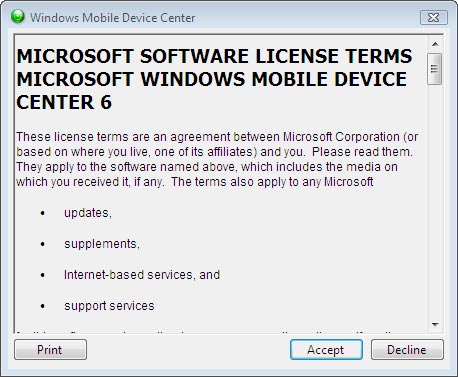
No synchronisation support is available for HPC2000 / Windows CE 3.0 devices through the Windows Mobile Device Centre. When using a USB connection, WMDC will display the following error
Under Windows Mobile Device Centre 6.1 users have reported some success with the built-in and HPC:Factor drivers with some HPC2000 models. No synchronisation capabilities with Microsoft Office are available at all in WMDC. Windows CE .net 4.x and higherIt is possible to connect a Windows CE .net device to Windows Vista and make functional use of the file explorer capabilities of My Computer to move information to and from your device. In addition Windows Vista detects the Handheld PC as being Plug n' Play present on the system, and offers hot ejection along with the capability to interface with Windows Media Player 11 and with the Picture and Fax viewer.
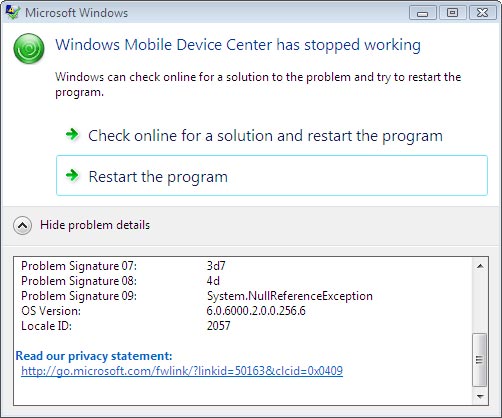
Unfortunately, Windows CE .net does not contain the necessary connectivity mechanisms to communicate and synchronise with Windows Media Player 11, rendering this functionality obsolete on this platform. Windows CE .net 4.x is not able to synchronise with Windows Mobile Device Center. With WMDC installed, if you initiate a device connection, WMDC will attempt to begin the communications process and may generate a crash dump process for the service (as outlined in the screen shot blow).
If you experience a similar error, fully uninstall both WMDC and the WMDC driver update, reboot and reinstall WMDC. Under ordinary conditions WMDC should time-out the connection and display an error message instead of crashing. Windows Vista / 7 DriversWindows Vista's Windows CE driver model has been altered, rendering users unable to use OEM provided versions for Windows XP or Windows 2000. Consequently, the WMDC driver update does not install driver information for less well known OEM's and niche market devices.
HPC:Factor has responded to the problem and has created a beta driver set for Windows Vista which includes support for a number of missing CE .net devices. WARNING: These device drivers are not officially sanctioned by the Microsoft Corporation. These drivers are not WHQL signed for compatibility with Windows. No warranty is offered, implied or expressed over their use. Use is at the risk of you, the user.
| ||||||||||||||||||||||||||||||||||||||||||||||||||||||||||||||||||||||