| ||
Installing Applications from a Host Installer without a connection to a Host PCCESD|200056Applies To
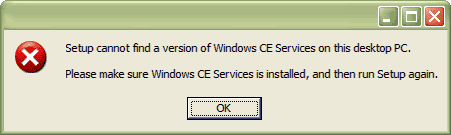
OverviewMany Windows CE applications are distributed in an installer file which must be run on a Windows based PC running Microsoft ActiveSync. If you are unable to connect your Handheld PC to the PC to synchronise you will not be able to install the application using the automated installer. This article described how you can obtain the Windows CE Cabinet installation files which can be uploaded to your Handheld PC in order to install the application without using ActiveSync. NB: This article is not applicable to Windows CE 1.0x How-to GuideHost installers are a method of installing applications to Windows CE based mobile devices without requiring the end user to have any more technical knowledge than to connect their H/PC to the Host and how to use the stylus. At the heart of any Windows CE installer are Cabinet installer packages. For more information on Cabinet installation packages see CESD-S-0047. The Host installer program will copy the files required for use on the H/PC as well as integrate it into ActiveSync's remote installation services. The trick in bypassing the ActiveSync is to extract the files either after you have installed the application. Or directly from the installer without even running it on the Host. NB: The processes explained here are not going to work with every Host installation package. There are many Installer environments. Some of which are easier to bypass than others. There are two procedures list here. One entails installing the host package. The other attempts to bypass it. Obtaining the Cabinet files after installing on the HostHost Installers all have to interface with Microsoft ActiveSync. There for if you can bypass the ActiveSync check at the beginning of the installation, you will be able to locate the files on the hard disk and then copy them to your Handheld PC by other means. When beginning the installation if you are presented with the following error:
In some cases you will be able to bypass the error by clicking different areas of the interface after the error. Try clicking the cross in the top right corner, cancel instead of OK or other combinations to try and bypass the error. If you succeed the installer will copy the files onto your Hard Disk. You will usually find them in either:
Where x: is the drive letter with your Operating System is installed on In some occasions the host installer will copy the files into a manufacturer / application specific folder directly under x:\Program Files\. You simply need to copy the Cabinet file that is appropriate to your version of Windows CE and your H/PCs processor to your Handheld PC device as is outlined in the Cabinet Installer guide. Extracting the Cabinet files directly from the Installation package fileSome file decompression and extraction applications. Such as WinZip, WinRAR and 7-Zip are able to look inside some .exe installation packages. With such a utility you can bypass the Host Installation and directly extract the Cabinet files. As a starting point, it is recommended that you install the free 7-Zip program onto your computer.
Download: 7-Zip |